
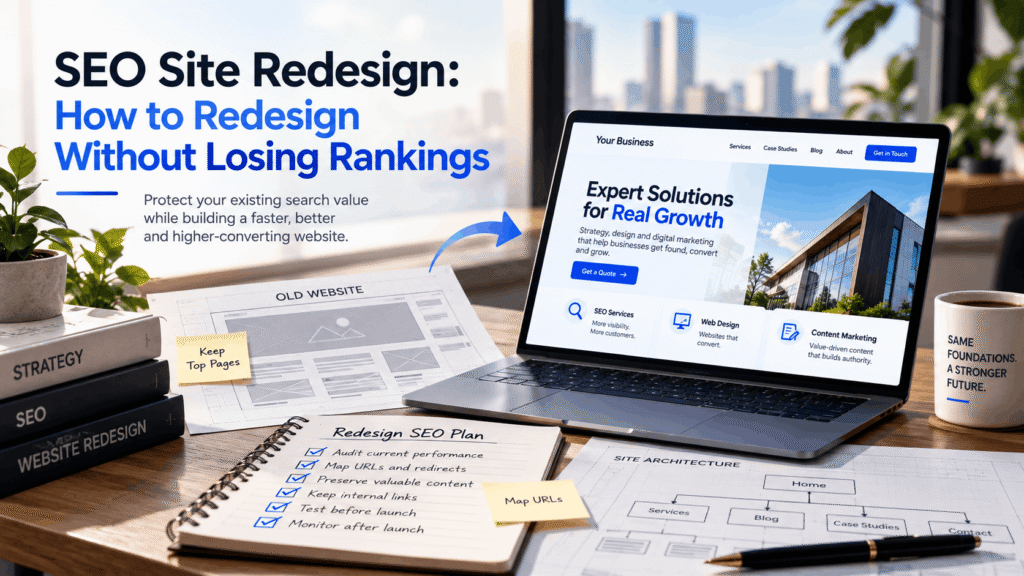
A website redesign often starts with visible problems. The interface feels dated, mobile navigation has become awkward, service pages no longer reflect the business, or visitors struggle to reach the next step.
Search performance can easily become an afterthought.
That is where an otherwise successful rebuild can create problems.
If the existing website already earns impressions, clicks, enquiries, backlinks, bookings, or sales through organic search, you are not replacing an empty shell. Search engines have already discovered its pages, interpreted relationships between them, and accumulated signals around individual URLs.
A new visual identity does not need to erase that value.
A well-planned SEO site redesign protects what deserves to survive while using the rebuild to improve structure, customer experience, performance, and conversion.
Does a Website Redesign Hurt SEO?
A redesign does not automatically damage organic performance.
Risk depends on what changes underneath the appearance.
Replacing colors, typography, imagery, and page layouts while retaining important URLs and information creates relatively limited disruption. Moving to another CMS, rebuilding navigation, deleting sections, changing addresses, or rewriting high-performing landing pages introduces far more variables.
Search engines do not evaluate a website only by how it looks.
They encounter individual documents, links, content relationships, crawl paths, canonical signals, structured information, and external references. Alter enough of those elements at once and the new version may no longer communicate the same meaning as the old one.
Temporary fluctuations can occur during a genuine migration as Google recrawls and processes changed locations. Google notes that small to medium sites may need a few weeks for most moved pages to be processed, while larger properties can take longer. Google for Developers
The safer approach is simple:
Understand what currently works before deciding what the new version should replace.
Start With What the Existing Website Has Already Earned
Design teams naturally focus on what needs improvement. Search planning begins from the opposite direction: what should not be lost?
Identify Your Highest-Value Organic Pages
Start with Google Search Console.
Look beyond the pages with the highest click totals. Some URLs receive substantial impressions and sit just outside the strongest positions, making them important future opportunities. Others attract fewer visitors but rank for highly commercial searches.
Analytics adds another dimension.
A landing page may generate modest traffic yet consistently produce enquiries. Another might rarely convert directly but introduce users who return later through branded search or another channel.
Before changing the site, document:
- organic landing pages
- major search queries
- impressions and clicks
- conversions
- pages generating enquiries or sales
- sections receiving meaningful non-branded visibility
This baseline gives you something concrete to compare after launch.
It also creates a natural place to involve a broader technical SEO review rather than making search considerations a last-minute QA task.
Check Which URLs Have Earned External Links
Backlinks often accumulate unevenly.
A dated resource that looks unimportant from a design perspective may have links from respected publications, industry websites, directories, partners, or older articles.
Removing it without a suitable replacement can waste authority that took years to acquire.
Before deciding which pages disappear, review their referring domains and link context. Where content still serves a useful purpose, preserving or improving it may be preferable to deleting it.
Record a Pre-Launch Benchmark
Take a snapshot before the old website changes.
That record should include organic traffic, priority rankings, indexed pages, leading queries, conversion performance, major referring URLs, and technical health.
Without a benchmark, post-launch discussions quickly become subjective.
“It feels like traffic dropped” is not useful.
Knowing that one service page lost 35% of non-branded impressions after its headings, copy, and internal references changed gives you something you can investigate.
Is This a Redesign or a Website Migration?
People often use the terms interchangeably, but the distinction affects risk.
A Visual Redesign Usually Carries Less Search Risk
If the domain, important addresses, core copy, information hierarchy, and linking relationships remain stable, most work happens at the presentation layer.
That does not eliminate every issue. Poor development can still create rendering, mobile, performance, or indexability problems.
However, the search engine does not need to relearn an entirely different structure.
When a Redesign Becomes a Migration
A project moves closer to migration when it involves changes such as:
- replacing URL structures
- moving to a different domain
- changing CMS platforms
- consolidating major sections
- restructuring directories
- merging several pages
- replacing large amounts of existing copy
- moving from subdomains to folders, or the reverse
At that point, search preservation needs to become part of project planning.
Google’s site-move guidance specifically recommends preparing a map between existing URLs and their new destinations before activating redirects. Google for Developers
A migration should therefore sit inside the wider SEO strategy, not as a development task completed after the new design receives approval.
Plan the New Site Architecture Before Development Begins
An effective redesign does more than rearrange pages.
It clarifies how the business itself is represented online.
Map Services and Topics Around Customer Intent
Start with how customers think.
A visitor does not arrive thinking about your WordPress taxonomy or menu depth. They want to solve something:
find a service, compare an option, understand pricing, evaluate trust, book a consultation, or buy.
The structure should support those journeys.
A digital marketing agency, for example, might have distinct hubs around SEO, paid media, website development, AI search, and content. Each core service can connect to supporting articles, industry applications, case studies, and relevant proof.
That creates meaningful relationships without forcing every page into the main navigation.
Thoughtful web design and development should make those pathways easier to follow, not merely make them look cleaner.
Decide Which Pages Should Stay, Merge, Move, or Disappear
A redesign is a useful opportunity to remove clutter, but consolidation requires judgment.
Two thin articles targeting nearly identical intent may work better as one stronger resource.
The opposite is also true.
Combining two pages simply because they appear similar can reduce relevance if each answers a different customer need.
For every existing URL, choose one outcome:
keep, improve, merge, redirect, or remove.
Doing this before wireframes are finalized prevents many later conflicts between design, editorial, and search requirements.
Keep Important Pages Within a Clear Hierarchy
Critical destinations should not become difficult to reach.
Navigation, breadcrumbs, contextual references, category relationships, and supporting content all help communicate structure.
A page buried six clicks deep may technically remain indexable, but its reduced prominence changes how visitors and crawlers encounter it.
Design simplicity is useful.
Information loss is not.
Map Every Important URL Before Launch
When addresses change, create a proper URL map.
The exercise sounds administrative, but it protects some of the most valuable signals on the site.
Keep Strong URLs When There Is No Reason to Change Them
A new design does not require a new address.
If an existing URL is descriptive, relevant, indexed, and performing well, leaving it alone often removes unnecessary risk.
Changing /seo-services/ to /services/search-engine-optimization-agency/ solely because the latter feels more optimized rarely justifies the disruption.
URLs should serve the user and the architecture, not become containers for extra keywords.
Redirect Changed URLs to the Closest Relevant Replacement
When a location genuinely needs to move, its old address should normally point to the most relevant new equivalent.
Google recommends server-side permanent redirects for permanent URL changes. Google for Developers
Relevance matters.
An old page about technical SEO should not automatically point to the homepage because the exact replacement no longer exists. A related technical resource or appropriate service hub may provide a better destination.
If there is truly no useful replacement, returning a proper 404 or 410 response can be more honest than sending visitors somewhere unrelated. Google includes this guidance in its migration documentation. Google for Developers
Avoid Redirect Chains
Suppose:
/old-page/
redirects to
/older-new-page/
which redirects again to
/final-page/.
The first address should normally point directly to the final destination.
Chains create unnecessary processing for browsers and crawlers. They also make future maintenance harder.
The same principle applies to internal links: update them to reference the current location rather than depending on redirects indefinitely.
Protect Content That Already Performs
A redesign frequently comes with an urge to rewrite everything.
That can be as risky as changing every URL.
Do Not Rewrite Successful Pages Simply to Fit a New Layout
Perhaps a new template allows only three short paragraphs where the existing service page contains detailed explanations.
The design may look cleaner.
The page could also lose the depth that helped it satisfy search intent.
Before cutting established copy, examine the searches associated with the URL. Identify which sections answer meaningful customer questions and whether certain phrases or subjects correspond with existing visibility.
The goal is not to preserve every sentence.
It is to understand why the page works before changing its substance.
Improve Weak Material Where the Rebuild Creates an Opportunity
Preservation should not become an excuse to carry poor content forward.
Outdated statistics, vague service descriptions, duplicated sections, unsupported claims, and thin articles can all improve during a rebuild.
Use the project to make information more accurate and useful.
A strong content strategy can also reveal missing topics or weak relationships that the previous architecture failed to address.
Preserve Search Intent When Consolidating Pages
Imagine three articles:
“Local SEO Tips”
“Local SEO Checklist”
“How to Improve Local SEO”
If all three largely answer the same question, consolidation may create a clearer resource.
Now compare:
“Google Business Profile Optimization”
and
“How Local SEO Helps Multi-Location Businesses.”
Both relate to local search, but their primary purpose differs.
Merging them purely because the subject overlaps would weaken both.
Semantic similarity should inform consolidation; it should not dictate it.
Protect Internal Links During the Redesign
Links between your own pages carry more value than many redesign plans acknowledge.
Identify References Pointing to Priority Pages
An important service page may receive relevant links from supporting articles, case studies, industry pages, and navigation.
When templates change, some of those relationships disappear.
That can happen quietly.
The destination still exists, but fewer paths lead to it.
Before launch, identify important pages and review where their internal authority currently comes from.
Update Links to Their Final Destinations
If a referenced page moves, change the source link as well.
Do not rely on a redirect to clean up internal navigation forever.
Google’s migration guidance recommends updating internal links based on the new URL mapping after a move begins. Google for Developers
Direct connections also create a cleaner experience for visitors.
Restore Context That the New Design Removes
Many modern templates simplify article layouts by removing related resources, sidebars, breadcrumb elements, or contextual sections.
That can improve visual clarity while unintentionally weakening discovery.
Restore useful connections selectively.
A paragraph discussing website migrations can naturally lead to an SEO service. Content planning may point toward a relevant marketing resource. A conversion discussion can connect to development expertise.
Internal linking works best when the next page genuinely helps someone continue the subject.
Keep the Staging Environment Out of Search
Development versions should not compete with the live site.
A staging environment can expose unfinished pages, duplicated copy, placeholder content, or test URLs if search engines discover it.
Use appropriate access controls or indexing restrictions during development.
The crucial step comes immediately before launch.
Remove Development Restrictions From the Live Website
A staging noindex directive copied into production can prevent important pages from appearing in search.
The same problem can occur when robots.txt rules remain more restrictive than intended.
Google specifically lists forgotten noindex directives and robots.txt blocks among common migration mistakes. Google for Developers
Run a final crawl after deployment rather than assuming the settings changed correctly.
Align Redirects, Canonicals, Internal Links, and Sitemaps
Technical signals become easier to interpret when they agree.
Canonical Tags Should Reference the Preferred Version
A canonical tag indicates which version of duplicate or highly similar content you prefer Google to consider representative.
After a redesign, check that canonical references point to the intended live addresses rather than staging, HTTP, retired, or redirected versions.
Google describes redirects and rel=”canonical” annotations as strong canonicalization signals, while sitemap inclusion provides a weaker supporting signal.
XML Sitemaps Should Reflect the Current Site
A sitemap should contain the canonical pages you want search engines to discover.
Do not keep large numbers of redirected, non-indexable, or obsolete URLs inside the new file.
Google recommends listing the URLs you want shown in search results and generally using canonical locations. Google for Developers
Internal Links Should Point to the Same Preferred Addresses
If navigation references one version, the canonical tag names another, and the sitemap lists a third, you create unnecessary ambiguity.
Use one clear destination wherever possible.
Consistency is usually more valuable than adding another technical mechanism.
Make the New Website Better for Visitors Too
An SEO-conscious redesign should not freeze an outdated user experience.
The purpose is to preserve search value while improving what happens after someone arrives.
Improve the Mobile Experience
A layout that works on a desktop monitor may become cumbersome on a phone.
Prioritize navigation, readable typography, button placement, form usability, visual stability, and the order in which information appears.
Mobile visitors should not have to work harder to understand the offer.
Reduce Friction Around Important Actions
Every major page should have a logical next step.
For a service business, that could mean requesting a quote or booking a consultation. An eCommerce website needs a clean route from discovery to product evaluation and checkout.
Avoid adding CTAs everywhere simply because conversion optimization sounds useful.
A clear action placed at the right moment usually works better than repeated interruptions.
Match Landing Pages With Search Intent
Someone who searches a highly specific problem should reach information that addresses it quickly.
Do not force every organic visitor through the homepage.
A strong architecture connects searches to the most relevant destination and then guides the user deeper into the business.
That is where SEO and conversion-focused web development should reinforce each other.
Preserve Analytics and Conversion Tracking
A beautiful website without reliable measurement leaves the business guessing.
Audit Existing Measurement Before Migration
Document the current setup:
- GA4
- Google Tag Manager
- lead-form events
- phone-click tracking
- purchase events
- booking confirmations
- thank-you pages
- advertising pixels
- consent configuration
Knowing what already exists makes post-launch testing much easier.
Test Forms, Calls, Bookings, and Sales
A redesigned contact form may look better but stop triggering a conversion event.
Phone buttons can change markup. Checkout flows may introduce new URLs. Booking tools sometimes move into embedded systems that require different tracking.
Test the actions that actually matter to the business.
Pageviews alone do not tell you whether the new site works.
Update Paid Campaign Destinations Where Necessary
If active Google Ads or other campaigns point to addresses that changed during migration, update those landing pages directly.
Google also includes advertising campaign links among the URLs that should be updated after a move.
This gives us a legitimate, optional contextual link to your Google Ads Management page. I would not force one elsewhere in the article.
What Should You Check Before Launch?
The final pre-launch review should bring SEO, development, content, and measurement together.
Crawl the New Website
Look for:
- unexpected 404s
- broken internal references
- redirect chains
- blocked resources
- duplicate title tags
- incorrect canonicals
- inaccessible pages
Do this before the site becomes public wherever possible.
Test Every Planned Redirect
A spreadsheet saying a redirect exists does not mean the server implements it correctly.
Test priority addresses individually, then crawl the full mapping.
Review Indexability
Confirm that pages intended for organic search do not contain accidental noindex directives.
Likewise, intentional utility or private sections should not become indexable merely because templates changed.
Check the XML Sitemap
Verify that it contains current canonical URLs and does not continue surfacing retired addresses.
Validate Analytics and Conversions
Submit forms.
Click phone numbers.
Complete bookings.
Run test transactions where relevant.
Then confirm the events reach the analytics platform correctly.
Test Real Customer Journeys
Technical QA cannot replace human testing.
Try the website as someone who knows nothing about the business.
Can you understand the offer?
Can you find the correct service?
Does the next action make sense?
Can you complete it comfortably from a phone?
Those questions often reveal problems no crawler will detect.
What Needs Immediate Attention After Launch?
Launching is not the final stage of a redesign.
The next few weeks provide the clearest evidence of whether the migration worked.
Submit and Monitor the New Sitemap
Search Console helps Google discover the current structure and gives you visibility into indexing changes.
Google specifically recommends using sitemaps and Search Console reports to track site moves. Google for Developers
Watch for Crawl and Indexing Problems
Pay attention to unexpected:
- 404 errors
- excluded pages
- canonical changes
- server errors
- blocked resources
- declining indexed URL counts
Do not react to every isolated warning. Look for patterns affecting important sections.
Compare Priority Pages Against the Baseline
Review landing-page traffic, impressions, rankings, and conversions.
A total-site graph may hide a serious problem affecting one commercial service.
Page-level comparison often provides the better diagnosis.
Investigate Persistent Losses
Temporary movement after a substantial migration can be normal.
Continued decline requires investigation.
Check redirects, content changes, internal references, canonicals, crawlability, and whether the new destination still satisfies the same intent as the old page.
Test Conversions Again
Tracking that worked in staging can fail after production deployment.
Run another complete conversion test after launch.
Never assume.
How Long Can SEO Fluctuate After a Website Redesign?
There is no universal recovery period.
A small visual refresh with stable URLs may produce little noticeable movement. A large migration involving hundreds or thousands of changed addresses requires more processing.
Google says a small to medium-sized website may take a few weeks for most URLs in a site move to be processed, with larger properties taking longer. Temporary search fluctuations can occur during that period. Google for Developers
Instead of choosing an arbitrary date when “rankings should be back,” watch the underlying signals.
Are old URLs dropping out while new ones appear?
Are priority queries transferring to the correct destinations?
Is Google crawling the updated structure?
Are conversions stable?
Those indicators provide more useful information than daily position checks.
Can a Website Redesign Improve SEO?
Yes—when the rebuild solves real weaknesses.
Improve Weak Information Architecture
A confusing legacy structure may scatter related subjects across unrelated directories.
Reorganizing them around clear customer needs can strengthen usability and topical relationships.
Consolidate Competing or Thin Pages
A content audit may reveal unnecessary overlap.
Merging genuinely duplicative material can create stronger resources and simplify the journey.
Improve Performance and Usability
Modern development practices can reduce page weight, improve mobile interaction, simplify templates, and remove outdated plugins or scripts.
Speed alone will not turn weak content into a strong result, but performance remains part of the wider user experience.
Build Better Paths From Search to Conversion
Organic visibility is useful only when it contributes to business outcomes.
A redesigned site can connect informational content with relevant services, proof, case studies, and next steps more naturally.
This is where the project stops being a defensive exercise.
Instead of merely protecting rankings, the company uses existing search demand to create a better acquisition system.
Should You Change Everything at Once?
Usually not.
Every large change introduces another variable.
If a company replaces the CMS, URLs, navigation, content, design, analytics implementation, hosting environment, and domain at the same time, identifying the cause of a performance problem becomes much harder.
Preserve stable elements that still serve their purpose.
If a good URL works, keep it.
When strong content remains relevant, improve it selectively.
If the existing domain has no strategic reason to change, do not move simply because a rebrand makes a new address appealing.
Redesigns should solve identifiable problems.
Unnecessary change adds risk without automatically producing growth.
Frequently Asked Questions
Can a website redesign hurt SEO?
Yes, particularly when the project changes important URLs, content, navigation, internal links, canonical signals, or indexation settings without a migration plan. A visual update that keeps the underlying structure stable usually creates less risk.
How do I redesign a website without losing SEO?
Audit the existing site’s performance first. Preserve strong URLs where possible, create a mapping for any address that changes, implement relevant permanent redirects, retain valuable content, rebuild important internal relationships, check indexability, and monitor results after launch.
Should I change URLs during a redesign?
Only when the change has a clear structural or user benefit. An existing address that is relevant, clean, indexed, and already performing often has little reason to move. If you do replace it, redirect the old URL to the closest relevant destination.
How long does SEO take to recover after a redesign?
There is no fixed timeframe. Minor redesigns may cause almost no disruption, while major site moves can take several weeks or longer to settle. Google says processing time varies according to factors such as site size and server speed.
Can a website redesign improve organic rankings?
It can. Better architecture, stronger content, clearer internal relationships, improved mobile usability, faster pages, and more relevant landing experiences may create better conditions for search performance. The redesign itself is not the ranking benefit; the improvements made through it are.
Treat Existing Search Visibility as a Business Asset
A company would not renovate an office and discard valuable equipment because it no longer matches the furniture.
Existing search visibility deserves similar care.
Established URLs, external links, useful copy, historical query performance, and conversion data represent accumulated business value. Some pieces deserve replacement. Others should carry forward into the new environment.
The difficult part is knowing which is which before the previous website disappears.
A successful SEO site redesign therefore requires collaboration between search strategy, content, design, development, and analytics from the beginning.
When those disciplines work from the same plan, the result becomes more than a modern-looking website.
It creates a stronger path from search demand to discovery, experience, conversion, and growth.