
A slow website needs attention. So does a page that nobody can find in search. Yet neither may be the main reason a small-business website is underperforming.
A site can load quickly and still generate very few enquiries. Another may rank for several keywords but attract people who are unlikely to become customers. Some businesses already receive useful traffic, only to lose potential leads because the offer is unclear, the contact process creates friction, or nobody can tell which marketing channels actually produce sales.
That is why website optimization for small business should not begin with a random list of fixes.
It should begin with the bottleneck.
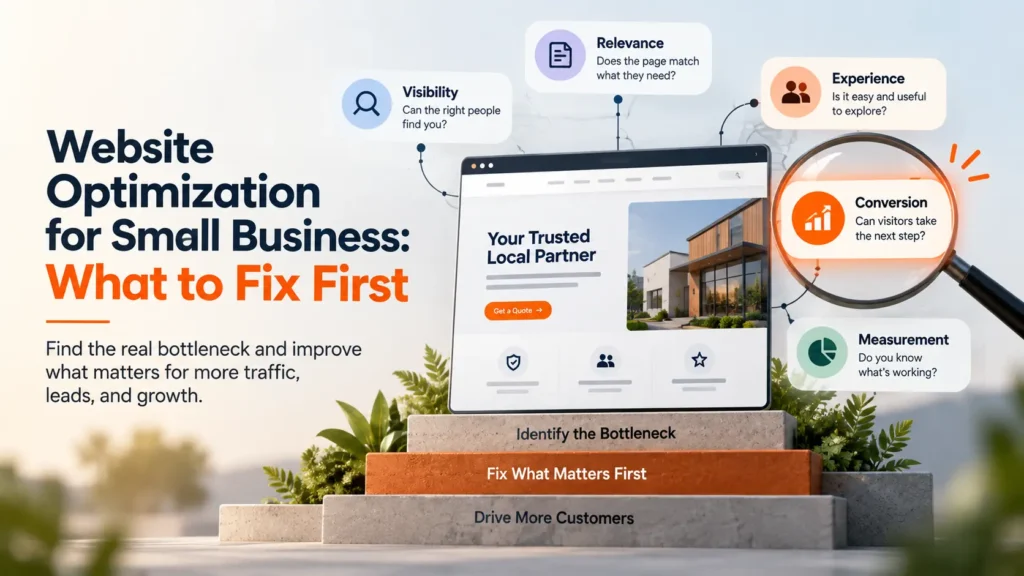
A useful way to diagnose the site is to look at five connected stages:
Visibility → Relevance → Experience → Conversion → Measurement
The weakest stage usually deserves attention before everything else.
What Does Website Optimization Mean for a Small Business?
Website optimization is the process of improving how effectively a website attracts the right visitors, gives them useful information, helps them take the next step, and produces reliable data for future decisions.
That makes it broader than SEO alone.
Search visibility matters, but so do page structure, mobile usability, speed, trust, conversion paths, technical health, content quality, and tracking.
The objective is not to make every metric look impressive. It is to make the website more useful to the business.
A technically polished site that produces almost no qualified enquiries still has an optimization problem. The same is true of an attractive website that potential customers cannot find.
For a small business with limited time and budget, deciding what to improve first is often more important than finding more things to improve.
Start by Finding the Bottleneck
Before changing the website, look at what is already happening.
| What you see | Likely issue | Investigate first |
| Very little relevant traffic | Visibility | Indexing, search demand, page targeting, local presence |
| Search traffic grows but visitors leave quickly | Relevance or experience | Search intent, messaging, mobile usability |
| People browse but rarely contact the business | Conversion | CTA, forms, offer clarity, trust |
| Plenty of leads, but many are unsuitable | Targeting | Keywords, ads, page positioning |
| Enquiries happen but their source is unclear | Measurement | Analytics, conversion events, CRM attribution |
| Traffic and leads look healthy but sales remain weak | Funnel or sales process | Qualification, follow-up, close rate |
This prevents one of the most common mistakes in website optimization: solving the problem you can see most easily rather than the one limiting results.
Consider a local service company receiving 2,000 website visits each month but only five enquiries.
Its first instinct might be to invest in more traffic.
However, if its important service pages already attract relevant visitors, the immediate constraint may be conversion. Improving the offer, trust signals, form experience, and calls to action could create more value than increasing traffic first.
The opposite can also happen. A highly persuasive website cannot convert visitors who never arrive.
1. Improve Search Visibility When the Right People Cannot Find You
Traffic is useful only when it comes from people who could realistically become customers.
Begin by understanding which pages already receive search exposure, what queries trigger them, and whether those searches match the services the business wants to sell.
Google’s Search Console Performance report is useful here because it shows search impressions, clicks, CTR, queries, pages, countries, and devices.
Look for patterns rather than obsessing over individual ranking positions.
A page with many impressions but few clicks may need a clearer title or stronger alignment with the searcher’s intent. Another page may rank reasonably well but target a topic with little commercial value.
Sometimes the problem is more basic: an important service has no dedicated page.
Give important services a clear destination
Suppose a company provides five distinct services but describes all of them briefly on one general page.
That makes the journey harder for both search engines and potential customers.
A stronger structure gives important services enough space to explain what they involve, who needs them, where they are available, and what the next step should be.
That does not mean creating dozens of nearly identical pages for minor keyword variations.
Each page should have a genuine purpose.
When organic visibility is the main constraint, a broader SEO services strategy should connect technical health, search intent, content structure, internal linking, and authority instead of chasing isolated keywords.
Local businesses need clear geographic context
Location matters more for some businesses than others.
A dentist, contractor, restaurant, repair service, clinic, accountant, or attorney may depend heavily on customers within a defined area.
In those cases, the website should make service areas and business locations clear without repeating city names unnaturally across every paragraph.
Useful geographic context may come from genuine location pages, customer reviews, local project examples, consistent business information, and a well-maintained Google Business Profile.
Businesses that depend heavily on nearby demand may need local SEO services alongside broader website improvements, particularly when Maps and local organic visibility contribute directly to enquiries.
2. Make the Page Relevant to Why the Visitor Arrived
Ranking and relevance are not the same thing.
A page may earn a click and still disappoint the visitor within seconds.
Imagine someone searching for an emergency plumbing service. They land on a page dominated by company history, vague claims, and stock photography.
The business may be excellent. The page is simply making the customer work too hard to discover that.
A more relevant page establishes the essentials early: what the company provides, who it helps, where the service is available, why the customer should trust it, and what to do next.
Replace vague language with useful information
Statements such as:
“Solutions designed around your needs”
or:
“Helping businesses reach the next level”
sound positive but communicate very little.
Specific language usually performs more work.
The same principle applies throughout service pages. Explain the problem, the solution, how the service works, meaningful differences, likely customer questions, and what happens after someone gets in touch.
Evidence should support the important claims.
Depending on the business, that evidence might include reviews, credentials, project examples, case studies, guarantees, photographs of actual work, recognizable clients, or relevant experience.
Trust rarely comes from adding one badge near the footer. It develops because the page consistently feels specific, credible, and useful.
3. Remove Friction From the Website Experience
Once someone reaches the right page, using it should feel straightforward.
Mobile experience deserves particular attention because a layout that looks polished on a large monitor can become frustrating on a phone.
Open important pages on a real mobile device and use them as a customer would.
Can the main message be understood without zooming or hunting?
Can someone tap the phone number easily?
Does navigation work without covering half the screen?
Do large banners push useful information too far down?
Can a visitor complete the form comfortably?
These details influence whether people continue or leave.
Speed matters, but the score is not the customer
Performance is part of that experience.
Google’s Core Web Vitals guidance focuses on loading performance, responsiveness, and visual stability. Those measurements can help uncover technical problems that affect real visitors.
However, optimization should not become a pursuit of a perfect laboratory score.
A website can perform well in a speed test and remain confusing. Another may have room for technical improvement while converting effectively because its content and customer journey are strong.
Use PageSpeed Insights to identify meaningful performance issues, particularly on high-value landing and service pages.
Large media files, excessive scripts, poorly configured caching, heavy page-builder elements, and unnecessary plugins are common places to investigate.
Fix what materially improves the experience. Do not remove useful functionality simply to make a score look cleaner.
4. Make the Conversion Path Easy to Understand
Many small-business websites do not have a traffic problem.
They have a next-step problem.
Every important commercial page should make it clear what someone can do after reading.
For one business, that may be requesting a quote. For another, it could be booking a consultation, calling immediately, scheduling an appointment, visiting a location, or purchasing online.
The correct action depends on the service and the customer’s stage of decision-making.
Someone dealing with an urgent home repair may want a phone number immediately. A business considering a complex professional service may need more information before scheduling a consultation.
The CTA should reflect that context.
Forms should collect enough information, not every possible detail
Long forms often exist because the business wants to qualify people before speaking with them.
That can be reasonable.
Still, asking for information that is not required for the next step creates unnecessary friction.
If a name, email address, phone number, and short description are enough to begin the conversation, requesting twelve additional fields may reduce completions without improving lead quality.
On the other hand, stripping a form down to one field is not automatically better.
The right form collects enough information to make the next interaction useful.
5. Look Beyond the Campaign When Paid Traffic Underperforms
Paid traffic makes conversion problems more expensive because every unnecessary step follows a paid click.
Suppose someone searches for a specific service through Google Ads but lands on the company’s general homepage.
They now need to locate the service, confirm availability, understand the offer, establish trust, and find the correct contact option.
A relevant landing page shortens that journey.
For this reason, effective Google Ads management should consider more than keywords, bids, budgets, and campaign settings.
The page after the click matters too.
When performance disappoints, review the complete journey:
Search → Ad → Landing Page → Conversion → Lead Quality → Sale
The campaign may need improvement. The website may need improvement. Sometimes both do.
6. Measure Actions That Matter to the Business
More sessions do not automatically mean better performance.
Before making major changes, decide which actions indicate meaningful progress.
For a service business, that could be qualified form enquiries, phone calls, bookings, quote requests, or consultations.
An ecommerce business may care more about purchases, revenue, and repeat transactions.
GA4 can help explain what visitors do on the site, while Search Console provides search-performance data. Google Tag Manager can support event tracking when the implementation requires more control.
For businesses that close sales offline, CRM data becomes especially important.
Imagine one campaign generates 40 leads while another produces 20.
The first campaign looks stronger until the business discovers that only two of its leads became customers while the second campaign produced eight.
Lead volume alone would have pointed the team in the wrong direction.
A mature measurement system connects:
Traffic Source → Website Action → Lead → Qualified Opportunity → Customer → Revenue
That connection helps the business optimize for outcomes rather than activity.
7. Strengthen Commercial Pages Before Publishing More Content
Publishing useful content can expand search visibility and answer earlier-stage customer questions.
However, more articles are not always the first priority.
If the site’s main service pages are unclear, weak, or difficult to convert from, sending additional visitors into those pages simply exposes the same weakness to a larger audience.
Review the pages closest to revenue first.
A strong commercial page should explain the service clearly, establish who it is for, answer meaningful buying questions, support important claims with evidence, and provide a logical next step.
Only after that foundation is solid should supporting content become a major growth focus.
This also reduces the temptation to publish articles simply because a keyword has search volume.
Every new page should have a clear role within the site’s wider search and customer journey.
8. Know When Optimization Has Become a Redesign
Not every underperforming website needs to be rebuilt.
Sometimes improving messaging, tracking, page structure, mobile usability, or conversion paths is enough.
A redesign becomes more reasonable when several structural problems appear at once.
For example, the existing theme may make mobile layouts difficult to repair. The navigation may no longer reflect the company’s services. Important tracking may be unreliable. Editing ordinary content might require developer involvement, while years of plugins and patches have made the site increasingly fragile.
At that point, continuing to repair individual symptoms can become less efficient than fixing the foundation.
Before rebuilding, protect what already works.
Useful URLs, rankings, backlinks, successful content, analytics history, conversion data, and high-performing customer journeys should inform the new site instead of being discarded.
For smaller companies that prefer to have design, hosting, maintenance, search foundations, and tracking handled together, small business web design services can also make more sense than repeatedly paying for isolated fixes.
9. Work in an Order You Can Measure
Changing everything at once makes it difficult to understand what helped.
A more useful sequence starts with measurement.
First, record the current level of organic traffic, enquiries, conversion rate, important landing pages, search visibility, mobile performance, and lead sources.
Next, fix obvious friction such as broken forms, poor mobile layouts, missing CTAs, tracking failures, slow commercial pages, and confusing navigation.
Then improve the pages closest to revenue.
Once those changes have enough data behind them, compare the results with the baseline.
That sequence will not make optimization instant. It will make the work easier to evaluate.
A Practical Small Business Website Optimization Checklist
The purpose of this checklist is not to create another collection of tasks. Use it to identify where the website currently needs the most attention.
| Area | Questions to check |
| Visibility | Can important pages be indexed? Does each core service have a useful destination? Are search intent and page purpose aligned? |
| Relevance | Can visitors quickly understand the offer, audience, location, and reason to trust the business? |
| Content | Do commercial pages answer useful customer questions without repetitive copy or unnecessary keyword use? |
| Mobile experience | Can someone navigate, read, call, submit forms, and use important features comfortably on a phone? |
| Performance | Do important pages load and respond well without disruptive movement or unnecessary technical weight? |
| Conversion | Does each commercial page have a clear next step? Are forms appropriate for the decision being made? |
| Trust | Are important claims supported by reviews, evidence, credentials, case studies, or real examples where appropriate? |
| Local visibility | Are locations, service areas, business details, and local proof presented accurately where geography matters? |
| Measurement | Are forms, calls, bookings, purchases, and other meaningful conversions tracked reliably? |
| Business outcome | Can the team connect marketing sources with qualified leads, customers, and revenue? |
How Do You Know Whether Website Optimization Is Working?
Website improvement rarely appears in one metric at the same time.
Search visibility may begin with more impressions for relevant queries.
Better titles and stronger search alignment can improve clicks.
Improved pages may then increase the percentage of visitors who engage, contact the business, or complete another meaningful action.
Eventually, the strongest evidence should appear further down the funnel.
The goal is not simply:
more traffic
It is:
more of the right visitors completing actions that create value for the business.
Sometimes that requires substantially more traffic.
In other situations, the website can generate better results from roughly the same audience because fewer qualified visitors are being lost along the way.
Frequently Asked Questions
What is website optimization for small business?
Website optimization for small business is the process of improving a website so it attracts relevant visitors, gives them a useful experience, encourages meaningful actions, and produces reliable data for future marketing decisions.
Is website optimization the same as SEO?
No. SEO focuses primarily on organic search visibility and traffic. Website optimization is broader and may include SEO, technical performance, content, user experience, conversion improvement, analytics, accessibility, and lead tracking.
What should a small business optimize first?
Start with the biggest constraint. If relevant visitors rarely reach the website, investigate visibility. If traffic is healthy but enquiries are weak, examine relevance and conversion. If lead sources cannot be measured properly, repair tracking before making large marketing decisions.
Does website speed affect SEO?
Page experience matters, and technical performance contributes to that experience. However, speed should be evaluated alongside usefulness, mobile usability, content quality, stability, security, and the overall experience rather than treated as a standalone objective.
Should I redesign my website or improve the existing one?
Improve the existing site when its technology and structure can support the required changes efficiently. Consider a redesign when technical limitations, weak mobile usability, outdated architecture, conversion problems, or ongoing maintenance issues make repeated repairs increasingly inefficient.
How often should a small-business website be optimized?
Optimization should be ongoing, but pages do not need constant changes. Monitor meaningful performance data, address clear problems, and allow enough time to evaluate significant changes before making another round of major adjustments.
Final Takeaway
Website optimization becomes more manageable when every problem is not treated as equally urgent.
A business with little search visibility needs a different approach from one receiving thousands of visits but very few enquiries. Likewise, a company generating leads without knowing which campaigns produce customers has a measurement problem before it has a traffic problem.
Find the constraint first.
Improve the part of the journey around it, measure the result, and then move to the next limitation.
Over time, the website should become more than a collection of pages. It should help the right people discover the business, understand what it offers, move forward without unnecessary friction, and give the company enough reliable information to make better marketing decisions.